
The Design Process: Innovate!

The Design Process: Innovate!
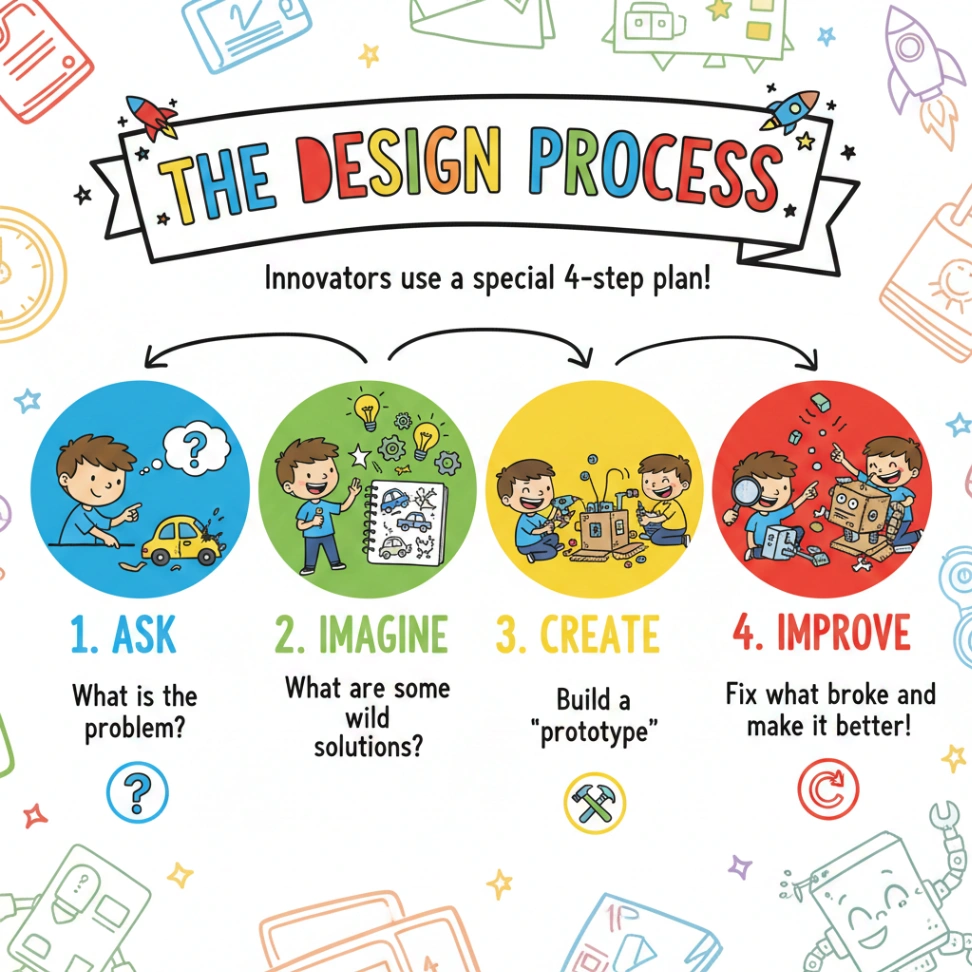
Have you ever wondered how new inventions are made? Or how people solve problems to make things better? It all starts with a process called the Design Process! Imagine you're an inventor, and you want to create something amazing. Let's explore the four steps to help you become an innovator!
1. Ask: What's the Problem?
Before you start building, you need to know what you're trying to fix or improve. The first step is to ASK! Ask lots of questions. What is broken? What needs to be better? For example, imagine your toy car keeps getting stuck in the rug. That's a problem!
2. Imagine: Brainstorm Solutions!
Now, it's time to put on your thinking cap! IMAGINE all sorts of ways to solve the problem. Draw pictures, write down ideas, and let your creativity flow. How can you make the car go over the rug more easily? Maybe bigger wheels, a ramp, or even a small rocket booster!
3. Create: Build a Prototype!
It's time to build! CREATE a first version of your solution. This is called a "prototype." Prototypes don't have to be perfect. Use whatever materials you have on hand – cardboard, tape, LEGO bricks. If you chose bigger wheels, try to attach bigger wheels to your car.
- Design Process:
- A set of steps used to solve problems and create new things.
- Prototype:
- A first version of a product or solution.
- Innovator:
- Someone who creates new ideas or inventions.
- creativity:
- The ability to use your imagination to invent new things or come up with original ideas.
- materials:
- The items, supplies, or substances used to build or make something.
- hub:
- A central place where a lot of a specific activity or business happens.
One passage, many ways to practice
Reading-skill questions, word work and writing prompts — all built from this text.
Main Idea
Identify the central idea and explain how important details develop it.
Summarize
Select, organize, and restate the most important information without adding opinion.
Purpose
Analyze what the author aims to do and how choices serve audience and purpose.
Structure
Analyze how sections and organizational choices build the text's ideas or effects.
Vocabulary
Practice words from the passage with a printable worksheet.
Writing Prompts
Use the passage as a springboard for short written responses, from personal reflection to evidence-based arguments.
Fix the Sentence
Practice editing sentences drawn from this passage with a printable worksheet.

Ready to use this passage in class?
Start free with the Mixed worksheet and 3 PDF downloads each week. Focused skill sets depend on plan.
Preview questions from this passageShowHide
- 1What is the first step in the Design Process?
- 2Why is it important to ask questions before creating a prototype?
Where this passage belongs
You Might Also Like


About this informational passage for Upper Elementary
“The Design Process: Innovate!” is a informational reading passage about Design Thinking, written for Upper Elementary. It takes about 3 minutes to read (375 words) and comes with an interactive quiz and a printable worksheet with comprehension questions and an answer key.