
Online reading practice, guided by you.
Choose a passage, set up an activity and let your child get started. Review completed work from your adult account.
No email address or password needed for your child.
Welcome back
Alex’s practice space
The Secret Garden
Read · 5 questions
Pick something yourself
Read
Practice
Play

Their next activity, with your guidance.
Choose where they begin, decide how much choice to offer and check in on their completed work.
Flexible practice that fits
Choose one activity, plan what comes next or give your child room to explore. You decide how open their space should be.
A clear place to begin
Keep the activity you chose easy to find. Your child can return to the same familiar space when it’s time to practice.
Stay close to their progress
See what they practiced, what they finished and where they may need a little more time.
Begin with reading. Add a little variety.
Find a passage for comprehension practice, choose a grammar or vocabulary activity, or make room for a word game.
 Reading & comprehensionRead online, answer questions and work with what the text really means.
 GrammarChoose a grade and build confidence one clear skill at a time.
 VocabularyGrow word knowledge with focused, level-matched practice.
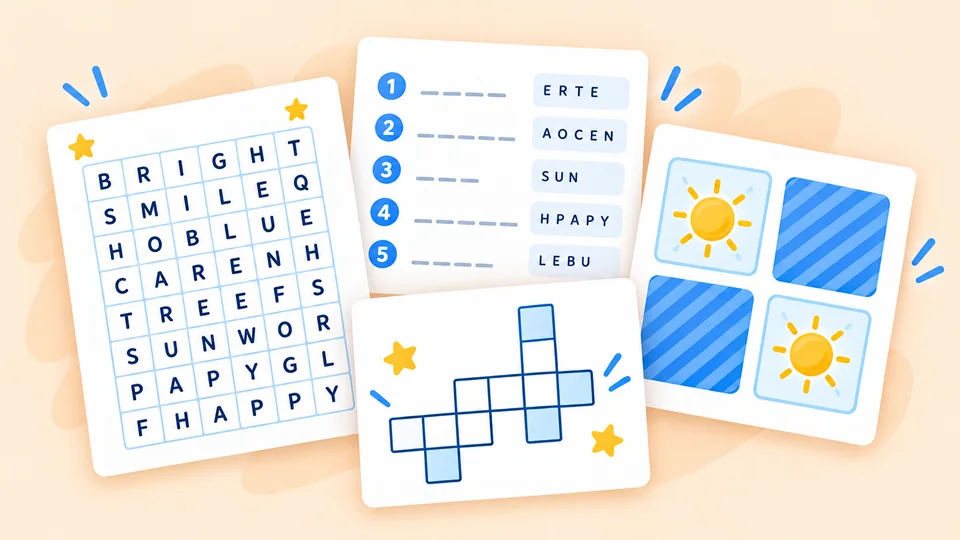 Word gamesTurn spelling and word work into something they want to play again.
One connected routine
You set it up. They know where to begin.
Create a child profile and choose an activity. Give your child access with a private link, QR code or temporary 6-digit code to enter at picobuddy.com/kids.
Create their profile
Choose what is ready
They sign in and practice
Freedom meets structure
Some days you choose. Some days they do.
Choose how structured or open their practice space should be.
One thing first
Set one activity
Choose one activity to make the next step clear and easy to find.
A clear route
Build a practice path
Line up a short sequence of activities so they can see what comes next.
Room to explore
Let them choose what’s next
Let them choose from reading, grammar, vocabulary and word games that fit their level.
Stay involved
See how practice is going.
Children get clear feedback while they practice. Finished activities, quiz results and practice paths stay connected to their profile, so you can check in and choose a useful next step.
Where does rain come from?
- Straight up from the sea
- From clouds full of tiny dropsNice!
- From mountains and rivers
2,000+
Ready-made passages
1,200+
Schools & classrooms
50k+
PDFs downloaded
From the PicoBuddy community
Loved by teachers and families.
“I built a whole week of reading in one prep period.”
“My son finally asks to read. The topics hook him.”

A reading routine you can follow
A simple routine for reading practice.
Choose a passage and a purpose
Use a passage for reading and comprehension practice, or choose grammar, vocabulary or a word game for a different focus. Start with material from the library or a supported activity you made yourself.
Set up their own place to practice
Create a child profile from your adult account. Set one activity, build a short practice path or leave room to explore. You control their access; they do not need their own email address or password.
Completed work helps you choose what comes next
Finished activities, quiz results and practice paths stay linked to the child profile. Review what they completed, notice where more time may help and choose a useful next step.
Find a starting point in the reading passage library, or explore Create when you want material for a new topic.
Questions, answered.
Does my child need an account?
Can I choose what my child practices?
Can my child choose what to practice?
Is Pico AI available in my child’s practice space?
How is Practice different from Create?
What can I see after they practice?
Independent practice, adult guidance
One space for them. A clear view for you.
Create a free adult account, choose what is ready and follow their progress while they read, practice and play.