
Give Every Kid Their Own Space to Practice Online
PicoBuddy child profiles now have their own online practice environment. See how to assign activities, set practice goals, support independent practice, and keep track of progress from your adult account.
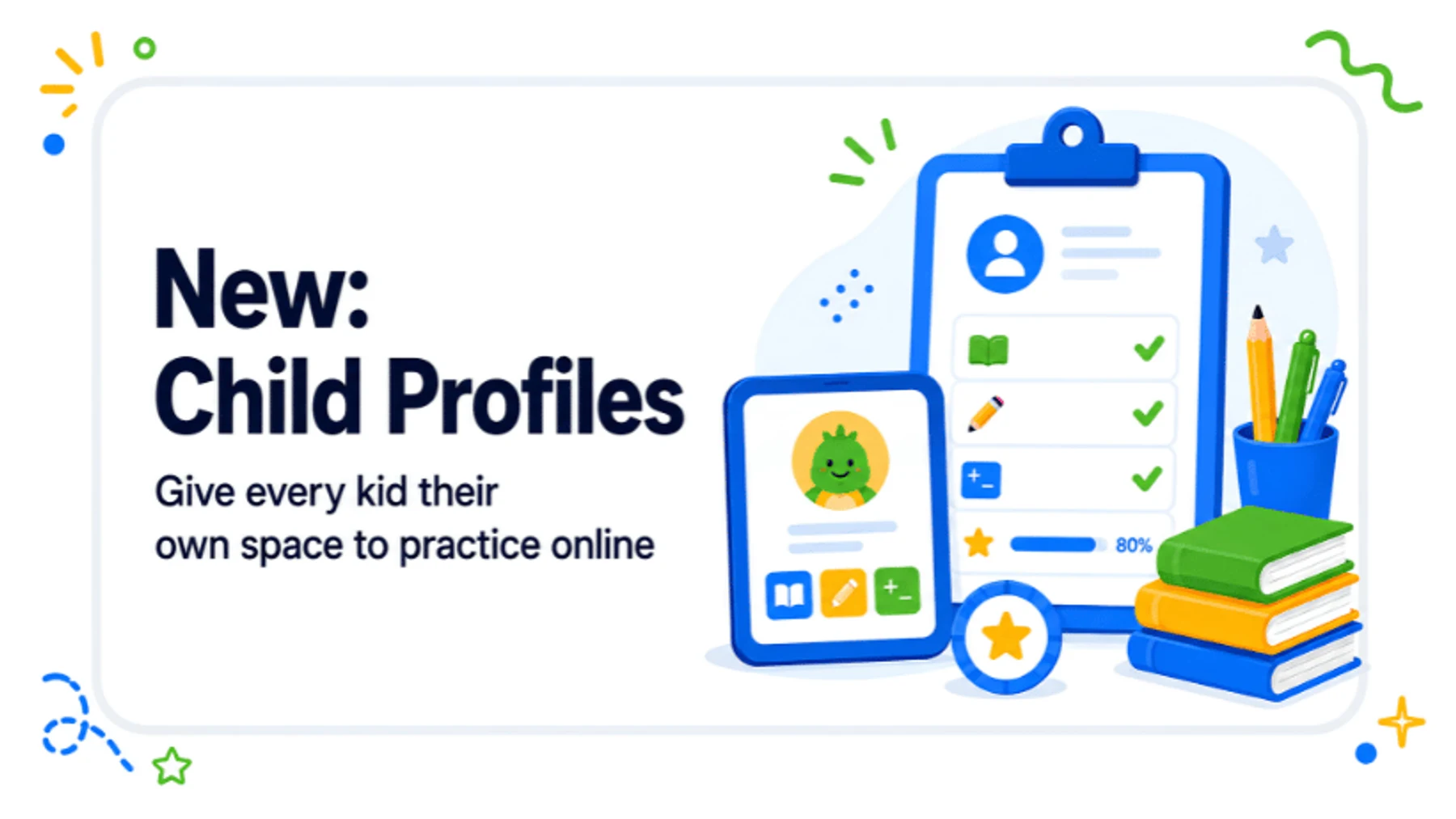
Child profiles in PicoBuddy now come with their own online practice space.
Until now, adults and kids used the same PicoBuddy environment. A child could complete an activity and have the result connected to their profile, but the profile itself was not a separate place for them to practice. With this update, that changes.
You continue to manage everything from your adult account, while each child gets a simpler environment focused on their own practice. You choose the direction, prepare what they need, and keep an eye on progress. They get a clear place to get started and work more independently.
A separate practice space for each child
The adult and child sides of PicoBuddy now have much clearer roles.
From your adult account, you can manage each child profile, choose or create activities, set practice goals, and see what they have completed. The child gets their own PicoBuddy environment built around practice, without the account settings, payment options, or management tools that belong on the adult side.
Kids can open their space using a personal link, QR code, or access code, so they do not need access to your account to start practicing.
That simple separation makes a practical difference. Instead of opening the adult environment and finding the right place together each time, you can prepare the direction in advance and give the child a clearer starting point.
Find it, make it, assign it
The new child environment also connects more closely with the way you already find and create materials in PicoBuddy.
If you see something in the PicoBuddy Library that would be a good fit, you can assign it to a child profile. If you need something more specific, you can create it yourself and assign that too.
For example, you might choose a reading passage that fits what a child is currently working on, create vocabulary practice around a school topic, or make something around an interest that you know will make reading easier to start.
Instead of the material staying inside your own account or ending with a download, it can become part of the child’s online practice.
Find it. Make it. Assign it. Practice it.
For parents, teachers, homeschool families, and tutors, that makes the step from finding a useful activity to actually getting it in front of the right child much shorter.

Set a goal and let PicoBuddy organize the next steps
You do not always have to choose every activity one by one.
If you already know what a child needs to work on, you can set a practice goal and let PicoBuddy organize a short practice path based on the level in their profile. You still choose the skill or direction, while PicoBuddy helps turn that into a clearer sequence of practice.
For the child, that means there is less uncertainty about what to do next. For the adult, it can reduce some of the small planning decisions that come with preparing practice every time.
The goal is not to take the decision-making away from the parent or teacher. It is to make it easier to turn that decision into something the child can actually work through.
Different kids can get different practice
A classroom, homeschool family, tutoring group, or household rarely has two kids who need exactly the same thing at exactly the same time.
One child may need extra vocabulary practice, another may be ready for more independent work, while someone else may benefit from having one clear activity waiting when they open PicoBuddy.
Child profiles let you manage those differences separately. You can assign different activities, set different practice goals, and decide how much room each child has to explore beyond what you have prepared.
That means you do not have to make every child follow the same route simply because it is easier to manage. Each profile can reflect what makes sense for that child’s next step.
More independence without handing over your account
Independent practice can be useful, but giving a child access to your full adult account is not the best way to create it.
The new child environment keeps those two things separate. You stay in control of planning and management, while the child gets a space designed around doing the work.
You can also decide how much freedom fits that child. Some may be ready to explore additional activities on their own, while others may benefit from staying focused on the work you have prepared.
Either way, the adult side of PicoBuddy remains yours. Kids do not have access to payment settings, account management, or the tools you use to organize their practice.
See what happened after you assigned the activity
Assigning an activity is only useful if you can also see what happened afterward.
When a child practices online, completed activities, results, and progress are connected back to their profile. You can see what they worked on and use that information when deciding what should come next.
That creates a much more useful practice cycle:
Choose what to practice → Assign it → Let them work → See how it went → Choose the next step
For parents, that can mean having a clearer picture of what their child has actually practiced. For teachers, it can make it easier to prepare different work for different students without losing sight of what happened afterward. For homeschool families, it can create a more manageable independent-practice part of the day without needing separate systems for planning, practice, and results.

Start with something they already care about
Personalizing practice does not only have to mean changing the level or the skill. Sometimes the topic itself is what makes the biggest difference in getting started.
One child may happily read about dinosaurs, while another would rather explore space, animals, sports, fantasy, or something completely different. Because you can create your own materials in PicoBuddy and assign them directly to a child profile, those interests can become part of the practice itself.
You might create a reading passage around a favorite topic while keeping the same comprehension goal, or build vocabulary practice around something a child is already curious about.
The learning goal still matters, but the route into that goal can feel much more relevant to the child doing the work.
Online when it helps, print when it works better
The new child environment makes online practice easier, but it does not replace the way you already use PicoBuddy offline.
You can still download and print materials whenever paper is the better fit for the activity or the child. Some practice may work well independently online, while another activity is better discussed together at a table. In other cases, you may want to start online and continue on paper.
PicoBuddy does not need every part of practice to happen in the same format. The point is to make it easier to choose what works in that moment.
One profile now connects more of the practice flow
A child profile is no longer just a place for a name, avatar, and level. It now connects more of what happens before, during, and after practice.
You can find an activity in the PicoBuddy Library or create something yourself, assign it to the right child, set a practice goal, and let them work in their own environment. Afterward, you can return to the same profile to see what they completed and decide what should happen next.
That brings more of the practice flow together in one place, while keeping the adult and child experiences clearly separate.
You keep the direction. They get their own place to practice.
Ready to explore the new child profiles?
Log in to PicoBuddy and create your first child profile. From there, you can set up their practice space, assign activities, and choose what they work on next.
Frequently Asked Questions
Related Articles
Helping kids read better, together.
Like this article? Join 500+ educators using PicoBuddy to generate high-quality reading materials in seconds.