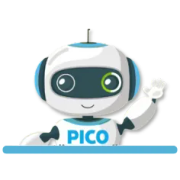
How to use the Pico mascot as an adult
Open, move, hide, and ask the Pico mascot for help in the adult PicoBuddy environment.
Pico is the mascot in the bottom-right corner of the adult PicoBuddy environment. Select the mascot to open his menu and start a conversation.
What you can ask him
- Find something to read. A topic, a theme, a reading level: he searches the library and shows what he found as cards you can open.
- How is my child doing? He can look at your child's recent activity and help you understand the saved results.
- What should my child work on? He can suggest a practice path matched to your child's level. You review the suggestion before starting it.
- Prepare something new. When the library has nothing suitable, Pico can help prepare the create form. The adult reviews the form and starts creation.
- How does this work? Passages, quizzes, word games, coloring pages, practice paths, workbooks, child logins.
Move or hide the mascot
Drag Pico to another place on the screen if he is covering something you want to see. To remove him from view, open his menu and choose Hide Pico. A small button remains available so you can show him again later.
When Pico shows a resource, suggestion, or prepared form, open it to review the details and choose what you want to do next.
Availability and limits
The panel shows whether Pico is available and whether an allowance applies to the account. Because plan access can change, check Pricing and the message inside Pico for the current rule.
Which language he speaks
Pico answers in the language you are using PicoBuddy in, and looks for material in that language. If you want something in the other language, just ask — "find an English text about volcanoes" works from the Spanish app, and he will keep talking to you in Spanish.
Pico recommends activities available in your current app language. Word games use the local version. Grammar and vocabulary practice currently require switching the app to English; Pico does not offer them as an English fallback.
Frequently Asked Questions
Was this article helpful?
Let us know how we're doing.